
Compass Challenges
The compass detects the Earth's magnetic field, making it possible to determine the direction in which the micro:bit is oriented. (It needs to be calibrated to ensure an accurate result.)
Calibrate the compass
The first time we record a program, this message appears on the screen:
Tilt to Fill Screen
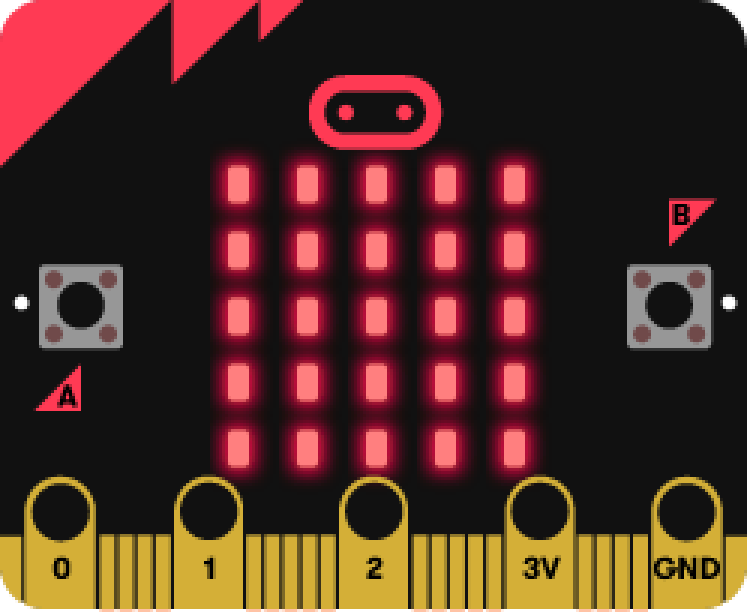
Once the aforementioned text appears, a dot will emerge; it will gradually fill the screen as you tilt the device.
Objective: to fill the entire screen with LEDs.
Better with a video
Numerical compass
The magnetic field sensor integrated into the micro:bit can also be used to measure the Earth's magnetic field. This makes it possible to determine the direction of magnetic north and, in turn, program a compass.
True to the spirit of the micro:bit, only a few lines of code are needed to create a digital compass. The code shown below displays the direction the logo is pointing toward whenever button A is pressed.
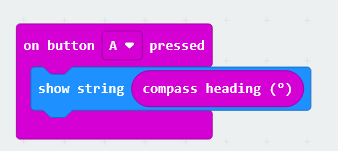
Like the other sensor blocks, the compass heading (º) block can be found in the Input menu.
The heading is displayed in degrees. It is worth noting that a value of 0º corresponds to north, and 180º to south. The following compass rose may help clarify the relationship between the cardinal directions and their corresponding headings:
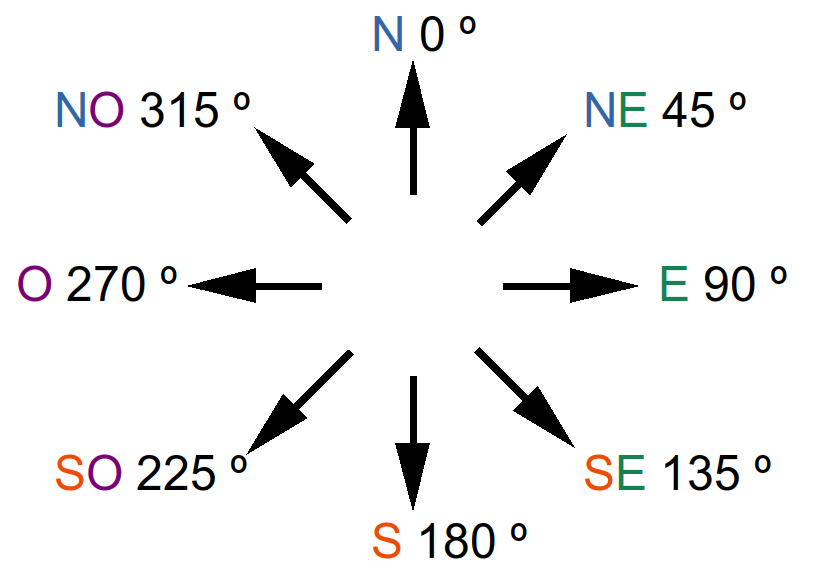
For example, according to the compass rose, a reading of 340º indicates that the micro:bit logo is pointing in a nearly northerly direction—specifically, north-northwest.
The compass works best outdoors, as the magnetic sensor’s readings can be affected by the presence of metal objects inside buildings, such as household appliances or the steel reinforcement in columns and floor structures.
When you turn on the micro:bit, a message in English may appear, asking you to shake the board to calibrate the sensor. This was covered in the previous section.
Challenge #1: Determine the orientation
Magnetic north is the direction indicated by the magnetized needle of a compass—a direction that does not coincide with that of the geographic North Pole. One can determine orientation if the degrees of deviation from magnetic north are known.
Objective.
Code description.
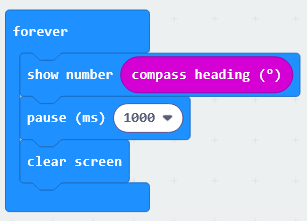
Use the "forever" event to start the program.
Display the value from the compass heading sensor (º), which provides the angle of deviation from Magnetic North.
Wait 1 second and clear the screen.
Analog compass
We will complete the compass functionality by adding a cursor that continuously indicates the direction of north. We will use a timer event to read the sensor and update the cursor display every half second.
Within the timer event, the code will draw an upward-pointing arrow when the micro:bit’s orientation is greater than 315° or less than 45°—that is, when the logo is pointing approximately toward north. The conditional blocks and comparison operators used in the code can be found in the Logic menu.
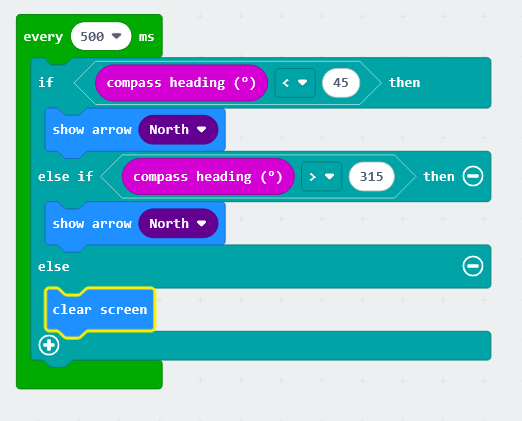
However, this program will only display the arrow when the logo points north; otherwise, it will clear the screen. To ensure an arrow remains on the screen pointing north at all times, you must click the + sign to add lines to the conditional block.
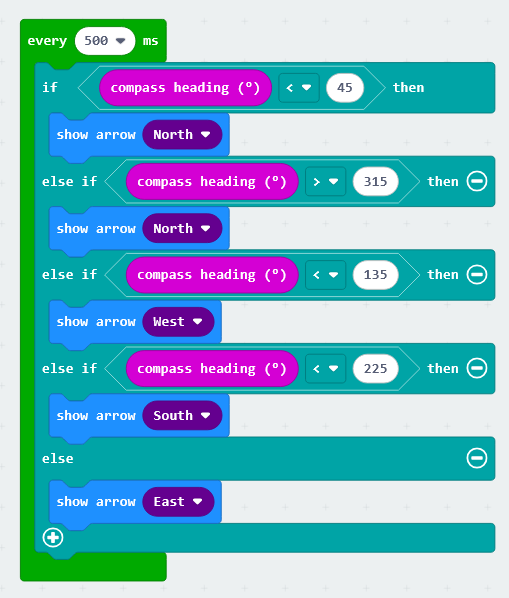
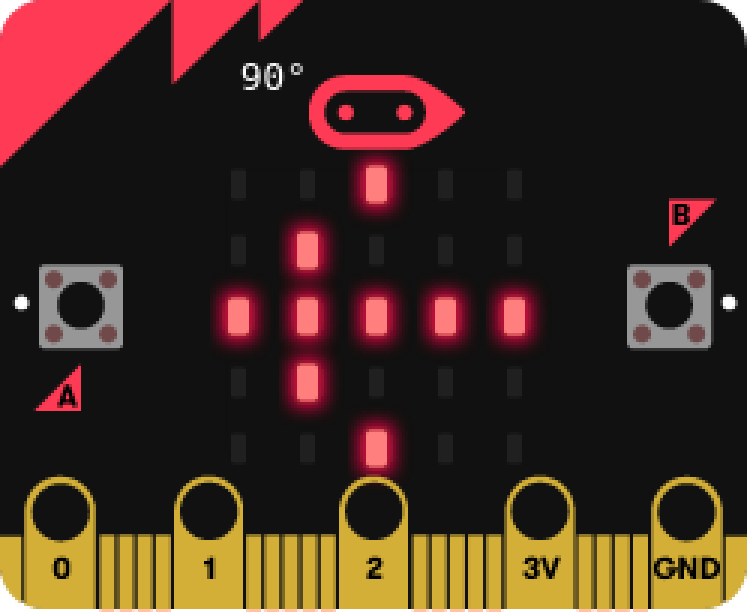
Note that when the micro:bit logo points east—that is, when the compass heading (º) is less than 135—the arrow must be drawn pointing to the left (west-pointing arrow); conversely, when the logo points west, an arrow pointing to the right (east-pointing arrow) must be displayed. Only in this way will the arrow always point toward the north.
Challenge #2: Audible orientation signal for North.
When you need to orient yourself using a map, the first step is to align the map so that it faces north. To do this, you should use a compass.
Objective.
Create a program that uses an audible alert to indicate when the micro:bit is oriented toward the North.
Code description.
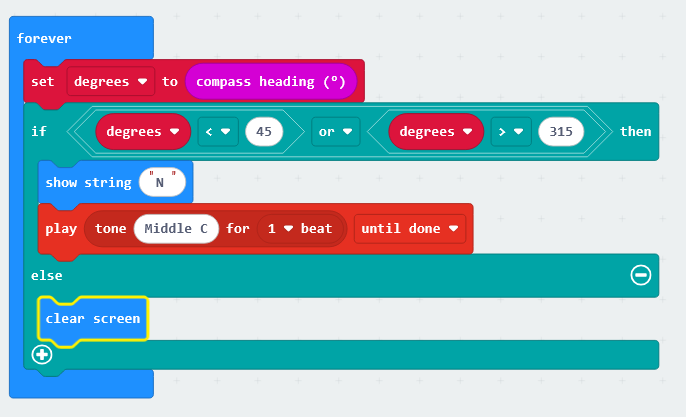
Use the "forever" event to start the program.
Create a variable to store the sensor value obtained from the compass heading block (°).
Use an "if-then-else" conditional statement to check which range the sensor value falls into.
If the value is between 315° and 45°, the micro:bit is oriented toward the North; in this case, an "N" will be displayed and a note will play. If this condition is not met, the screen is cleared.
.
Extracted and translated from catedu
No comments to display
No comments to display