Accelerometer Challenges
The accelerometer measures the acceleration of your micro:bit. It activates when your board moves and can also detect other actions, such as shaking, rotating, and even letting your micro:bit boardfall alsoin includesfreefall!
Axes of the activitiesaccelerometer

By weUgopedia carried[CC outBY-SA with4.0 the], light sensor can be performed with the sound sensor too. MakeCode includes a "sound level" block in the 'Input' category that reads the ambient sound value detected by the sound sensor. This value ranges from 0Wikimedia (silence) to 255 (noise).Commons
Challenge #1: ShowingElectronic sound leveldie
Objective.
A
Code description.
The proposal is to create threean differentelectronic programs,die eachthat triggereduses bythe pressingLED apanel specific button or combination of buttons.
Objective.
Code description.
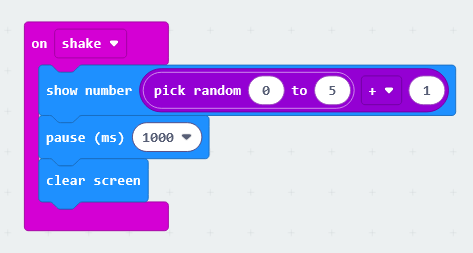
The program begins with an "numericalon shake" block, which displays a randomly selected number between 0 and 5, with 1 added to it. We add 1 because the block’s random selection process starts from a base value of the0.
After intensity.a The1-second "show number" block will be used, withpause, the "soundscreen level"is blockcleared, inserted asand the valuesystem waits for the micro:bit to be displayed.shaken again.
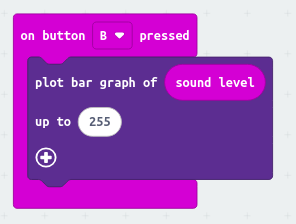
Extra button B will light up the necessary LEDs to graphically display the sound level value. The "plot bar graph of ... up to ..." block, found in the LED section, will be used. First, insert the "sound level" block, and then replace the default value in the second field with 255, which is the maximum value detected by the sound sensor.activity.
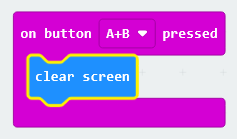
Finally, pressing buttons A and B simultaneously will be used to clear and turn off the LED display.