Accelerometer Challenges
The micro:bit board also includes a sound sensor. Some of the activities that we carried out with the light sensor can be performed with the sound sensor too. MakeCode includes a "sound level" block in the 'Input' category that reads the ambient sound value detected by the sound sensor. This value ranges from 0 (silence) to 255 (noise).
Challenge #1: Showing sound level
Objective.
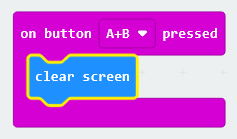
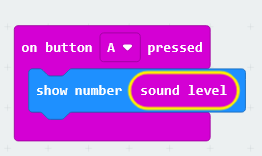
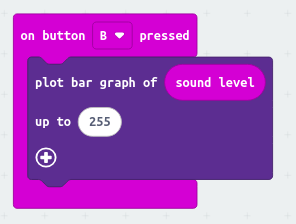
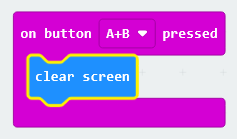
Pressing button A displays the numerical value of the ambient sound intensity. Pressing button B displays the sound intensity graphically. Pressing buttons A and B simultaneously turns off the screen.
Code description.
The proposal is to create three different programs, each triggered by pressing a specific button or combination of buttons.
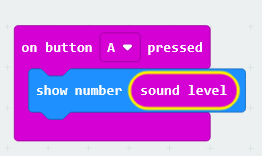
Pressing button A will display the numerical value of the sound intensity. The "show number" block will be used, with the "sound level" block inserted as the value to be displayed.
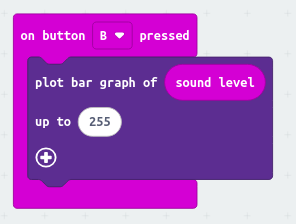
Pressing button B will light up the necessary LEDs to graphically display the sound level value. The "plot bar graph of ... up to ..." block, found in the LED section, will be used. First, insert the "sound level" block, and then replace the default value in the second field with 255, which is the maximum value detected by the sound sensor.
Finally, pressing buttons A and B simultaneously will be used to clear and turn off the LED display.